How to turn a comic chapter into an animated episode
A full walkthrough of Inkroost Animate, and the craft behind a good episode. Start from consistent pages, pick the look and the voices, shape the script for speech, choose the length and quality, check the plan and the exact price, then animate, fix scenes and publish.
Inkroost Animate turns a chapter you drew or uploaded into an animated episode: moving scenes, a voice for each character, music, sound effects and subtitles in your series' language, plus a vertical cut for phones. This guide walks through every step in the order the screens show them, and explains the choices that make an episode feel like a film rather than a slideshow.
Two things to know before you start. Nothing is animated until you approve it, and you see the exact price before you do. And an episode is only as good as its chapter: clear pages, consistent characters and readable dialogue make better episodes. The screen says so too, and it is the most important sentence on it.
Before you start: make the chapter worth animating
Why it matters. The episode is planned from your pages and your sheets. Every character keeps the design from their sheet and their pages, every place keeps its layout. If a face drifts across your pages, it drifts across your scenes too, and in motion the drift is far more visible than on paper.
Do this first:
- Give every speaking character a sheet with a reference drawing. If a series has no character sheets, the director picks voices for the people it finds on the pages, which works, but you lose control of who is who.
- Give recurring places a sheet with floor plan facts, so a room is the same room from scene to scene.
- Keep the pages (drawn or uploaded) and read the chapter once as a reader. Is it clear who says each line? Does every page show what happens?
The solid workflow guide covers all of this in detail.
Learn from the masters. Frank Thomas and Ollie Johnston, two of Disney's senior animators, set out the twelve principles of animation in The Illusion of Life. The first that matters here is solid drawing: a character that has a consistent volume and shape from every angle. Sheets are how you give the animator that solid drawing to work from.
1. Open Animate and pick the chapter
Choose Animate in the top menu, or open the chapter in Creator Studio and choose Animated episode under Do more with this chapter. Press New episode if the series already has some.
The first question is Which chapter becomes an episode? Pick the series and tap the chapter. A chapter needs finished pages before it can become an episode. A chapter marked Has an episode has one already; one On the way is still being made.
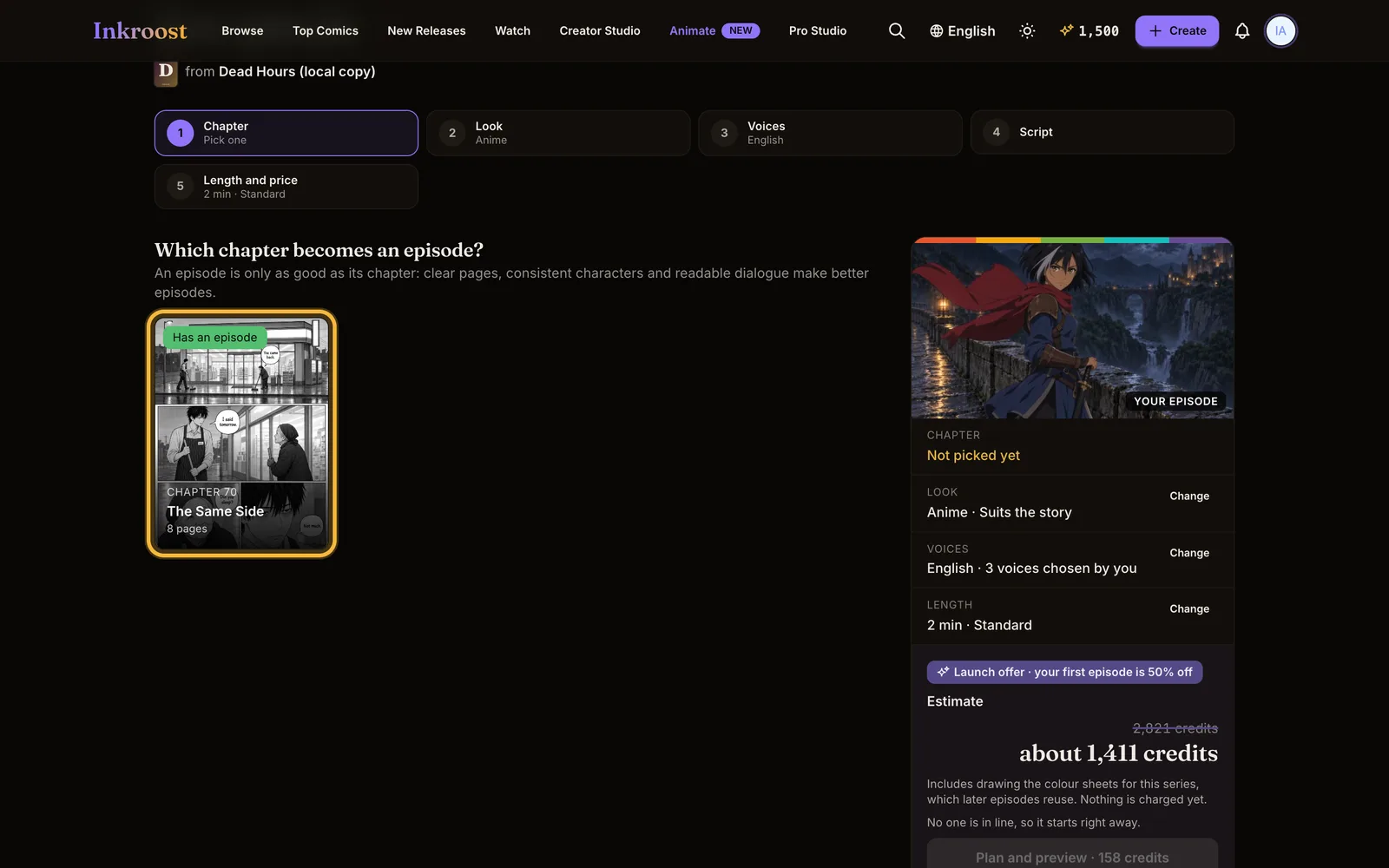
Tip. Start with a short, self-contained chapter: one location, two or three characters, a clear beginning and end. It is cheaper, it is ready sooner, and you learn how your pages translate to motion.
2. Look: how the episode is drawn
How should it look? sets how the episode is drawn and coloured, for this and every later episode of the series. You can keep it Animated in the style your pages are drawn in, choose a look such as Comic book, Cartoon or Watercolour, or describe it In my own words.
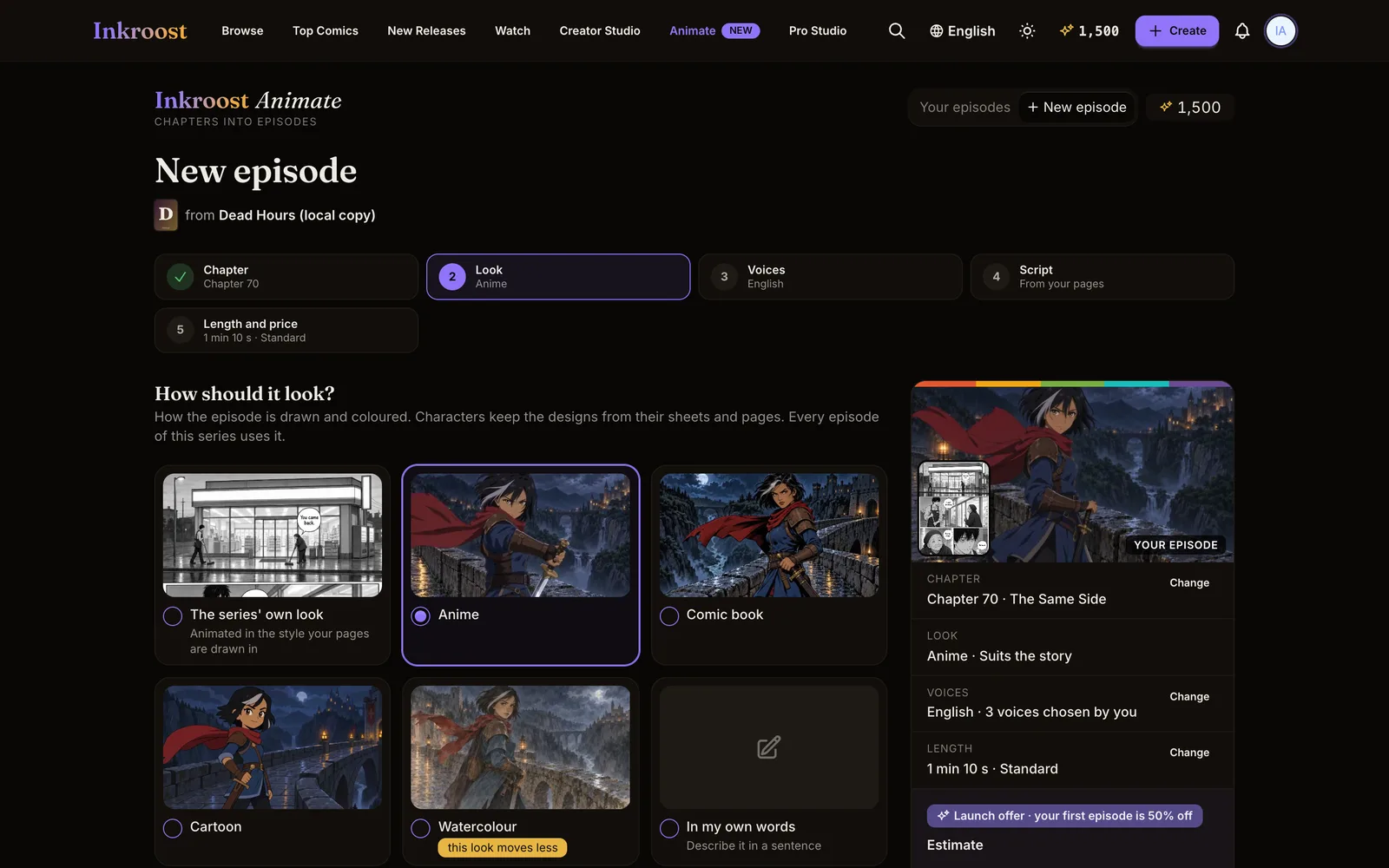
Black-and-white pages can be animated in colour. Under Colours, pick a palette, or let The director chooses. The first episode also draws the colour sheets for the series, which later episodes reuse, so every episode of your series looks like the same show.
Describe the style, not a show or a studio. Famous looks are refused. "Soft pastel colours, thin pencil lines, a gentle storybook feel" works; naming a film does not.
Common mistakes
- Choosing a look that fights your pages: a dark noir chapter in bright pastel.
- Changing the look between episodes. Pick it once; your audience recognises the show by it.
3. Voices: casting
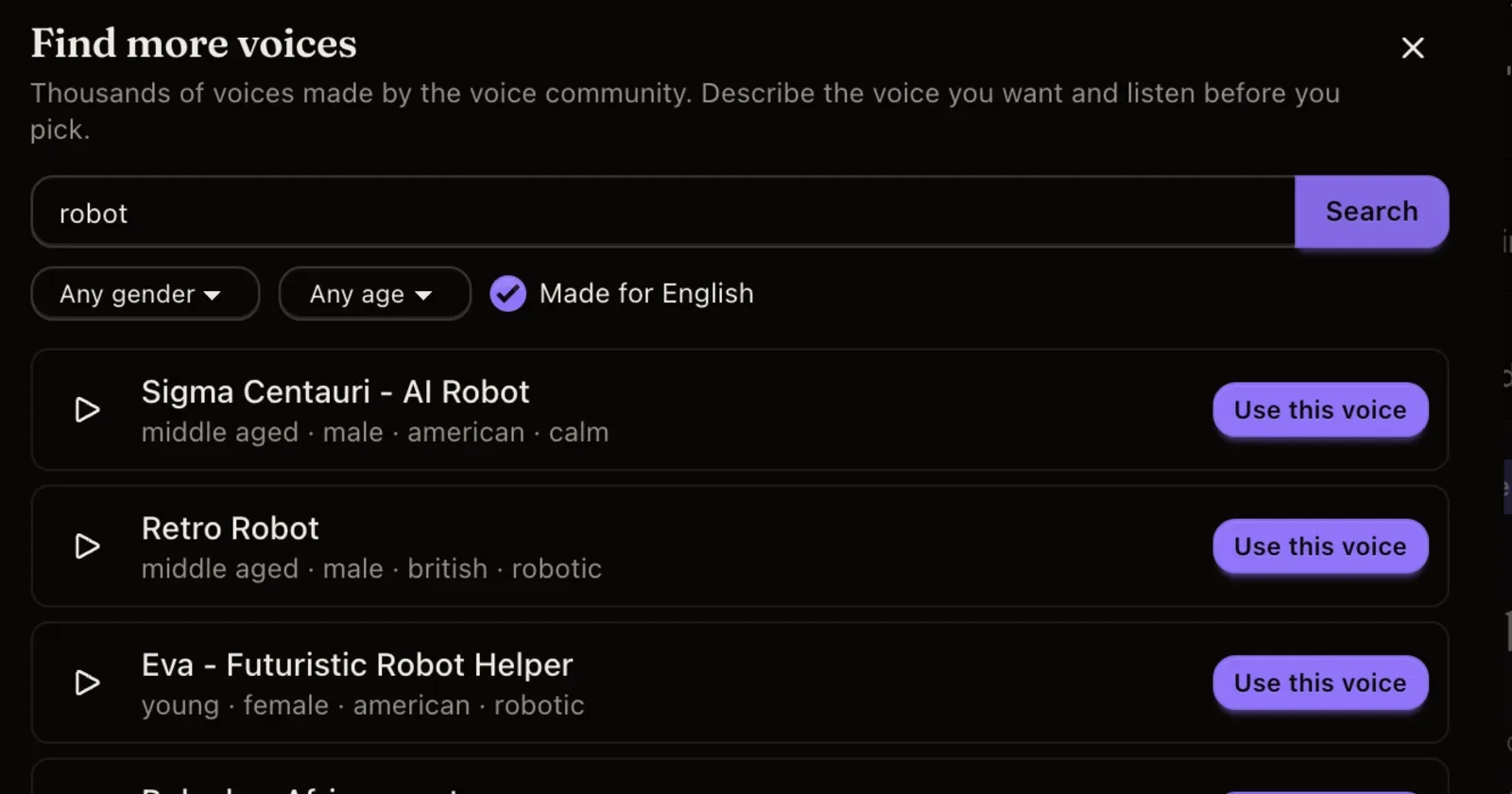
Who speaks, and in which language? First choose the Language: voices and subtitles are made in it. Then give the narrator and each character a voice. Play each one before you choose, and use Find more voices if none fits.
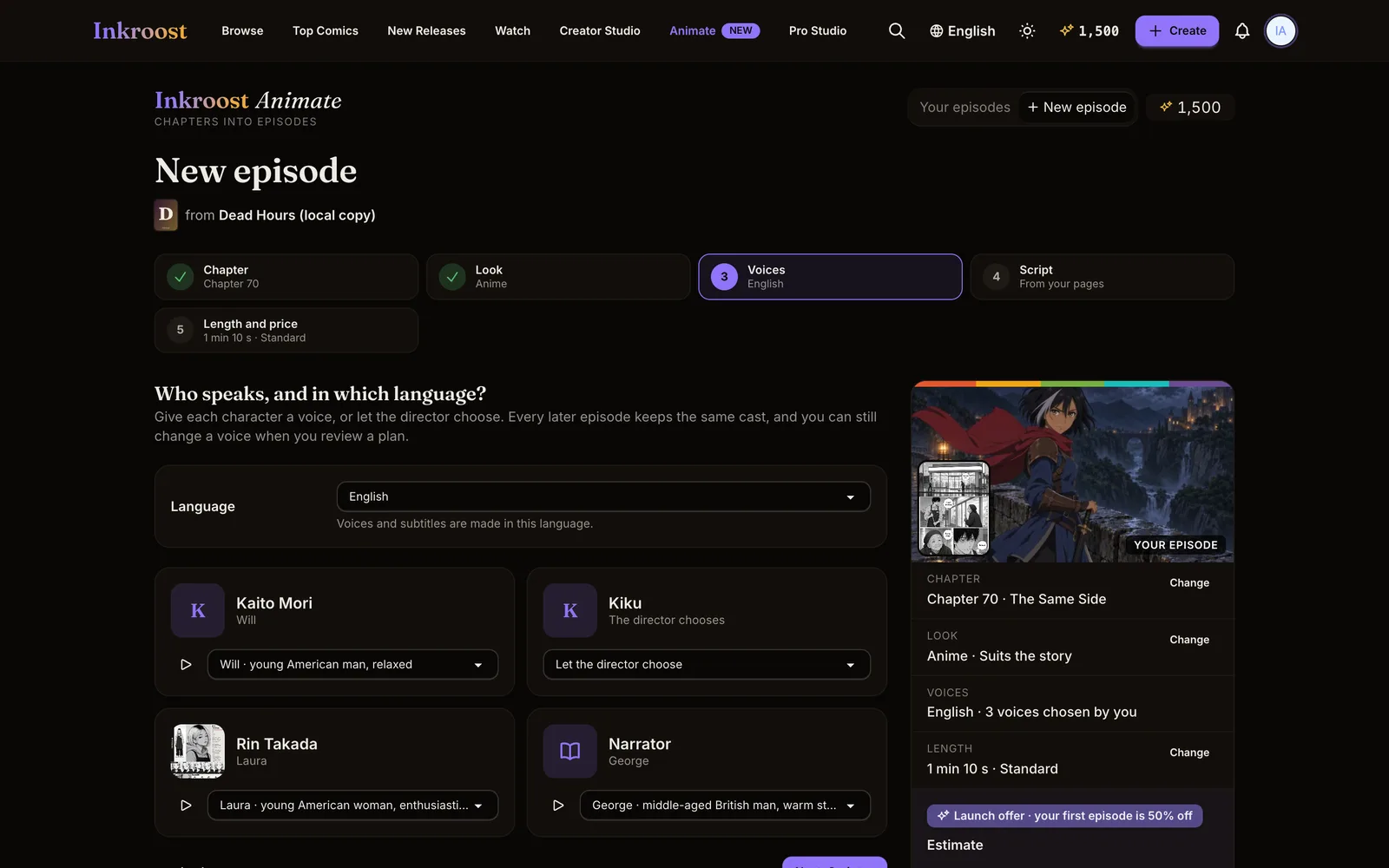
Casting is a craft decision. A voice tells the audience who someone is before they finish a sentence. Cast for contrast: if two characters argue, they should never sound alike. Match age and energy to the drawing, not to the character's backstory. A narrator should be calm enough to sit under the scenes without competing with them.
Common mistakes
- Two lead characters with similar voices. In a fast exchange the audience loses who is talking.
- A narrator who is more dramatic than the characters.
4. Script: write for the ear
Choose Review the script. You see every line of the chapter, scene by scene, with who says it. You can rewrite a line, give it to another character or the narrator, mark it as a thought or a shout, add a line, cut one, or move it. Short names from your pages are matched to the full names on your sheets, so each line goes to the right voice.
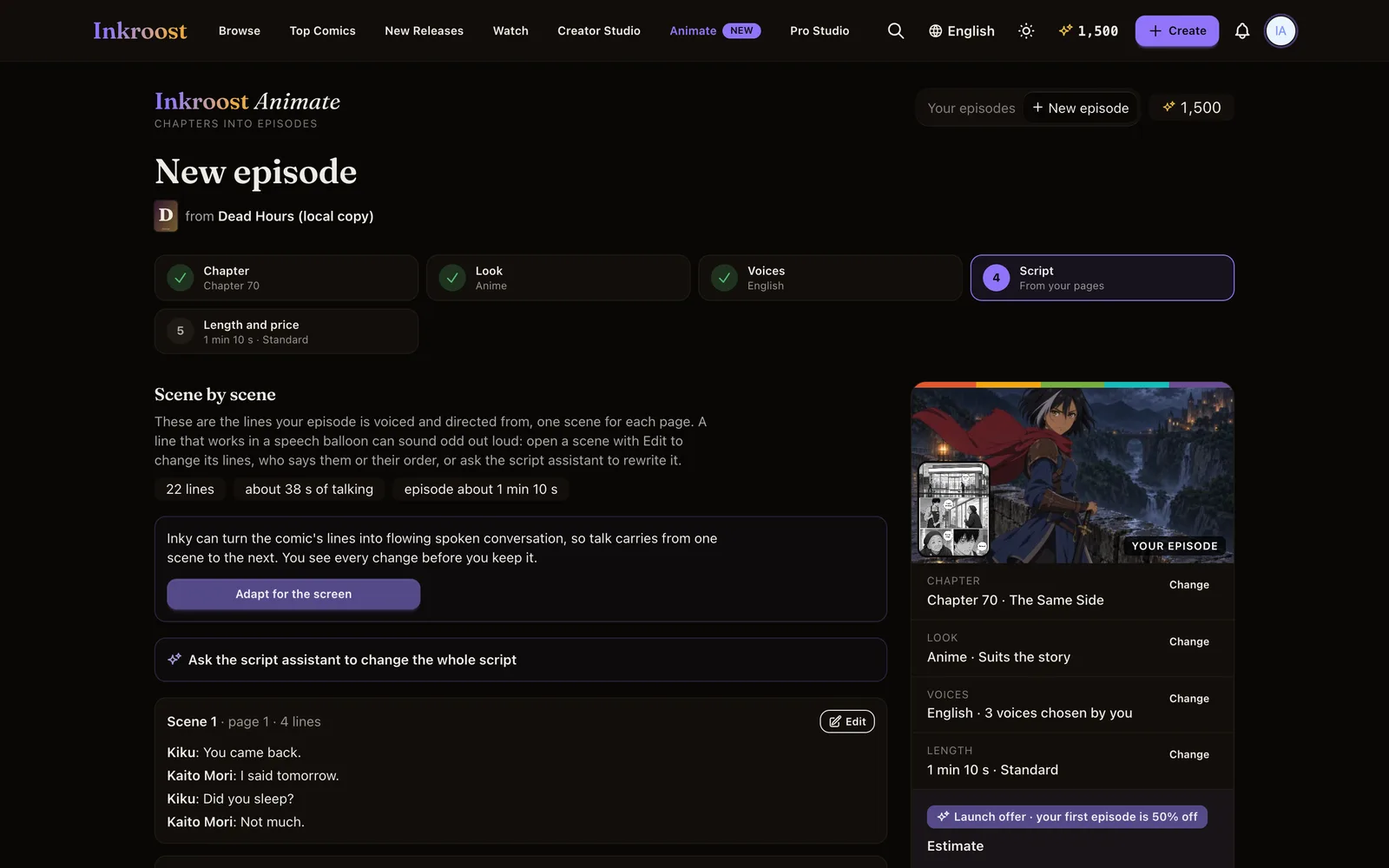
Inside a scene, the script assistant can rewrite lines for you: "make this flow like a movie scene", "cut the narrator, show it through dialogue". You see every change next to the old line and keep only what you like.
Why it matters. Speech balloons are read; episode lines are heard. Lines that work on the page can sound stiff out loud, and narration boxes that explain what the picture already shows become a voice talking over the action.
Do: short spoken sentences, one idea each. Let the picture show what the narration used to tell. Give the reaction a moment of silence.
Don't: keep every caption as narration. Don't stack three long lines on one character in a row.
Learn from the masters. Hayao Miyazaki has spoken about ma, the pauses between actions where nothing much happens and the audience simply feels the moment. Those quiet beats are a large part of why his films breathe. If a scene is wall-to-wall dialogue, cut a line and leave the space.
5. Length: what the episode keeps
How long, and how good? The screen tells you how long the chapter reads naturally ("This chapter reads naturally at about…"). You can keep that length or move the slider. An episode can run from 30 seconds up to the whole chapter.
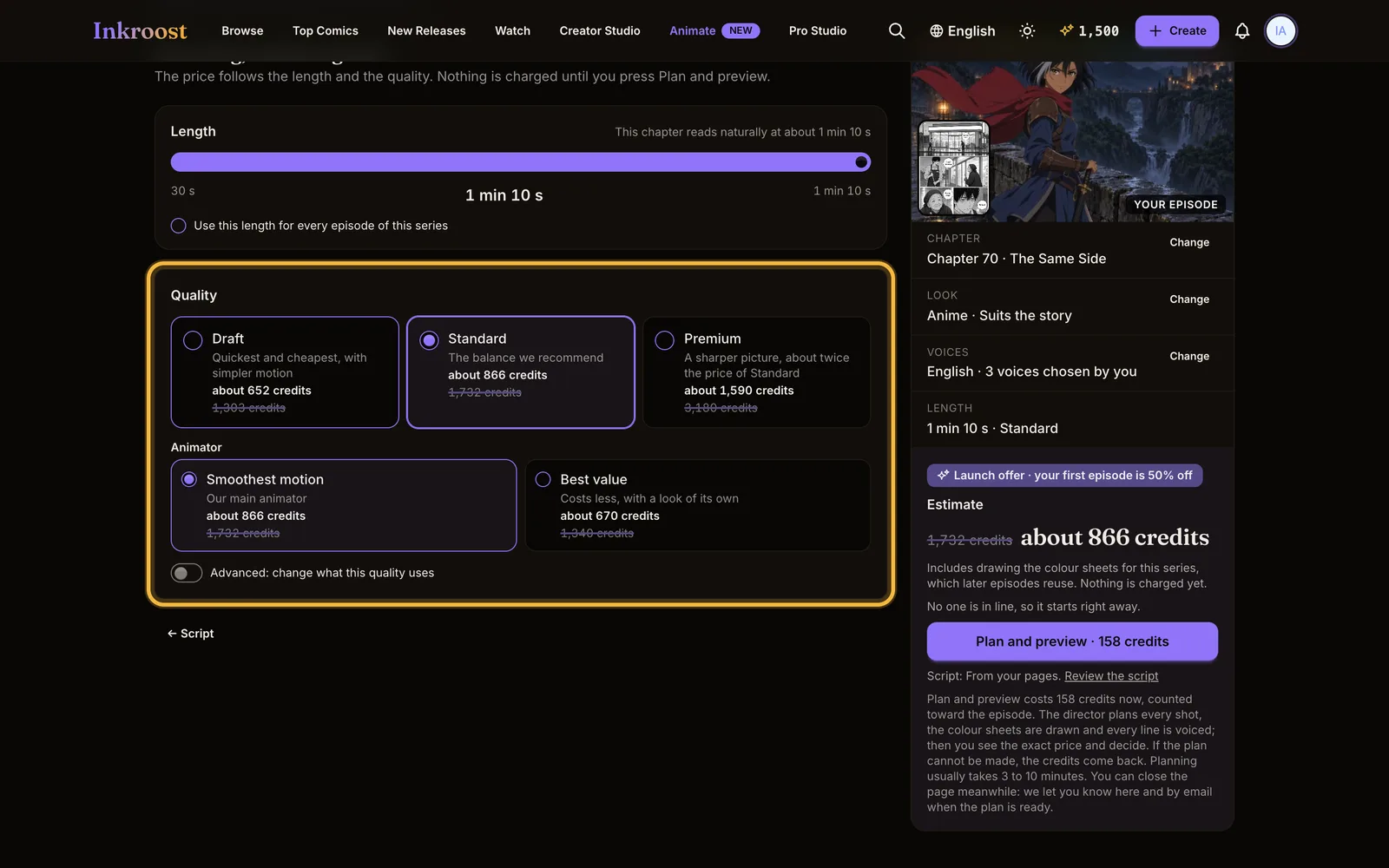
If you pick a length shorter than the chapter, it asks What should it keep?
- The whole chapter, squeezed in: every page is in, with lines shortened and merged so it all fits.
- The best moments: only the strongest scenes, with their lines word for word. The rest is left out.
Which to choose. For a story chapter that readers follow, squeeze it in. For a teaser to post on social media, keep the best moments. Use this length for every episode of this series saves the choice for next time.
Learn from the masters. Timing, one of the twelve principles, is the number of frames an action takes, and it changes the meaning: a slow turn is doubt, a quick one is surprise. Chuck Jones's Looney Tunes shorts are a masterclass in comic timing within a few minutes. The length you pick is the time budget every scene has to share. If you squeeze a long chapter into 30 seconds, nothing has room to land.
6. Quality: how good, and at what price
Choose the quality:
- Draft: quickest and cheapest, with simpler motion. Good for testing a chapter.
- Standard: the balance we recommend. Standard lets you choose the Animator: Smoothest motion (our main animator) or Best value (costs less, with a look of its own). On longer episodes, Best value saves more.
- Premium: a sharper picture, about twice the price of Standard.
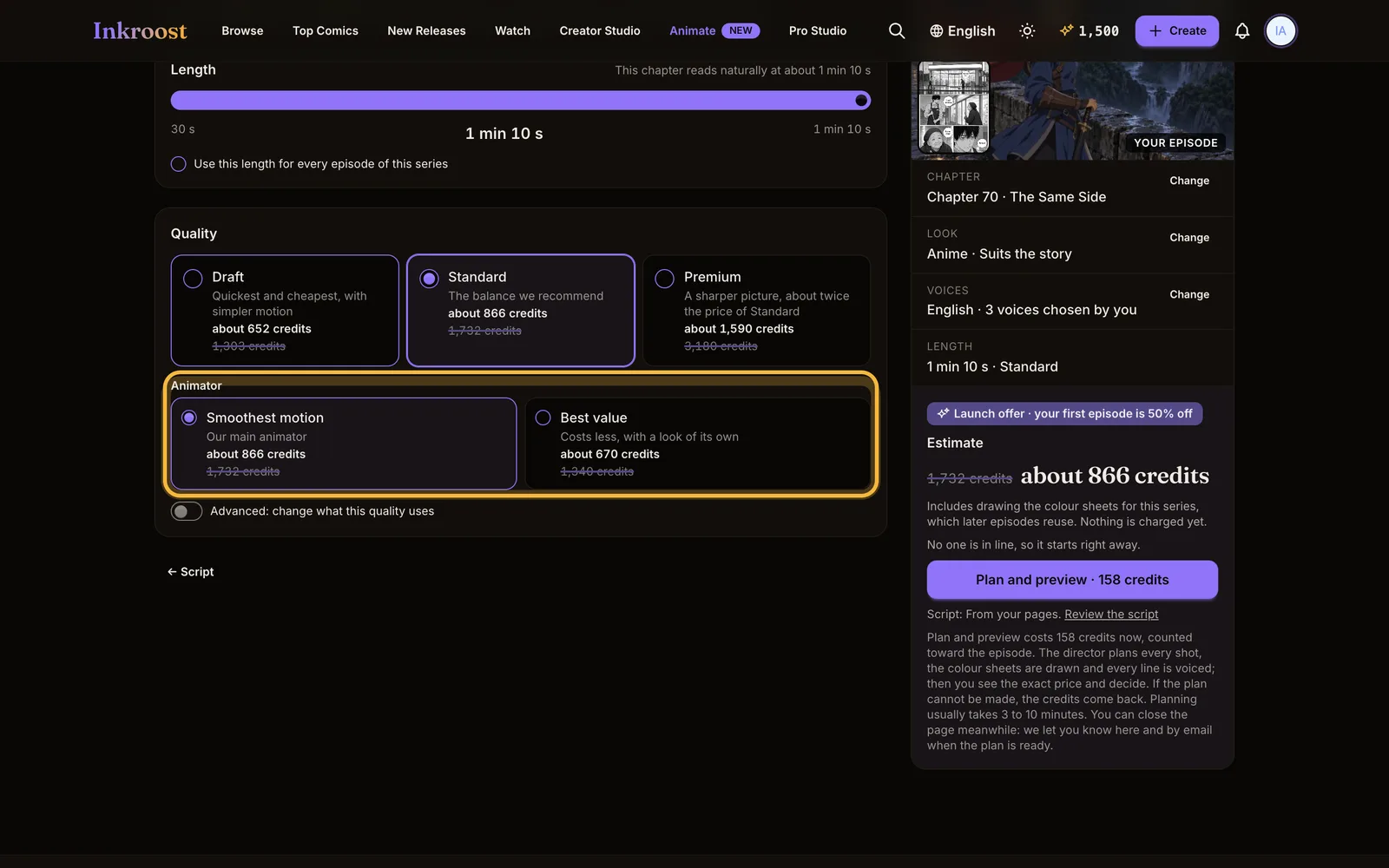
An estimate shows as you change the length and quality. The price follows the length and the quality, and nothing is charged until you press Plan and preview.
Tip. Make a short Draft first to check casting, script and look. Then make the real one in Standard or Premium.
7. Plan and preview: see it before you pay for it
Press Plan and preview. The director plans every shot, the colour sheets are drawn and every line is voiced; then you see the exact price and decide. Planning usually takes 3 to 10 minutes. You can close the page: you are told on the site and by email when the plan is ready.
Review the plan like a director. Read the scenes in order. For each one ask: is it clear where we are, who is speaking, and what changes in this scene? If you kept the best moments, scenes left out are marked Not in this episode.
Staging, another of the twelve principles, means presenting each idea so it is unmistakable: one clear action, one clear focus. If a scene tries to show three things at once, simplify its lines before you approve.
8. Approve and animate
When the plan is right, press Approve and animate. Only now is the episode animated. Short episodes are ready sooner; long ones can take a few hours, and you see your place in line and the stage it is at ("Planning the shots", "Recording the voices"). You get a notification when it is done.
9. Watch it, then fix what's off
Watch the finished episode on Inkroost from start to finish, as an audience would.
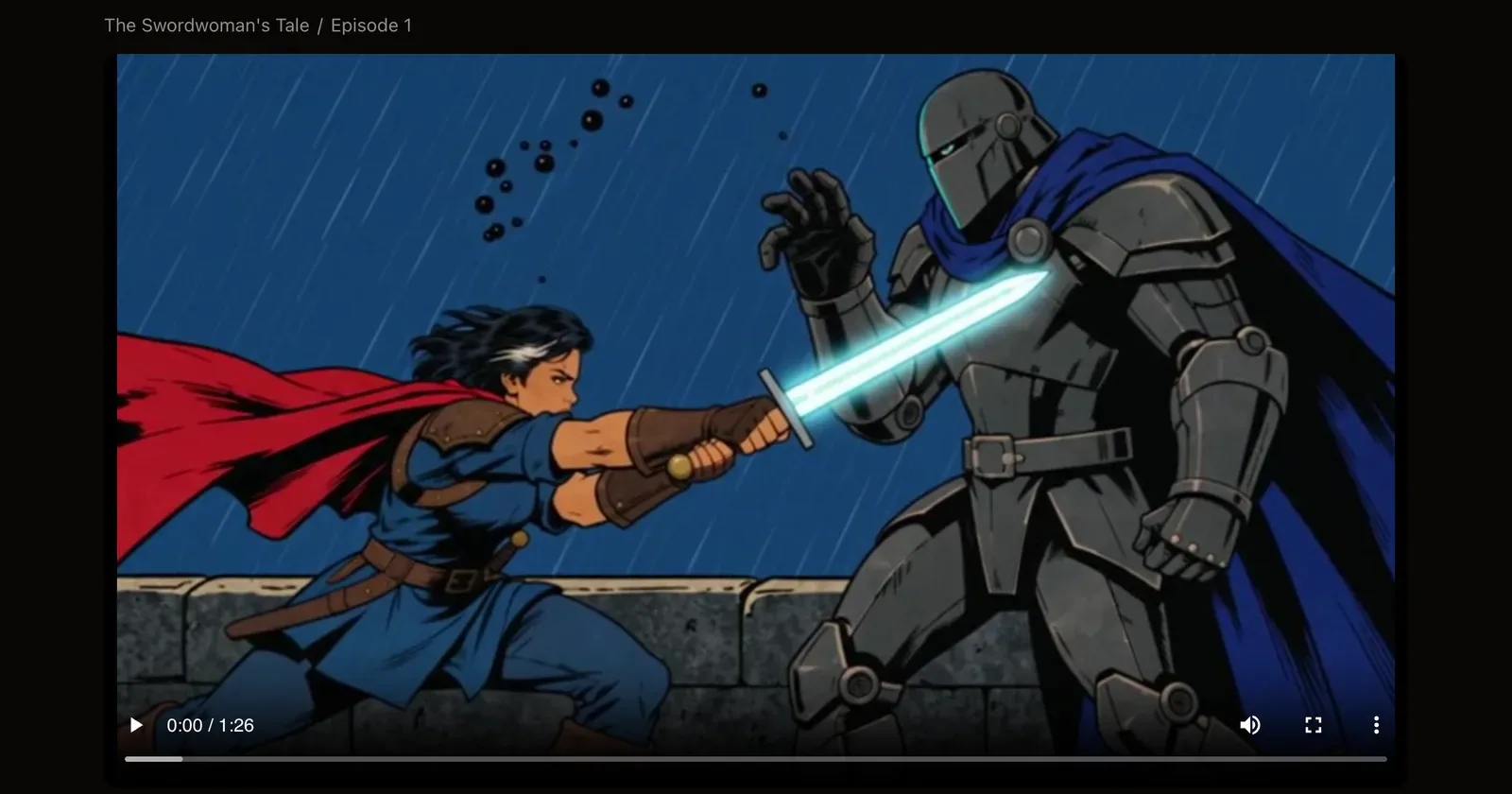
Under the episode, Change a scene shows a timeline with one block per scene. Click a block to jump there and choose what to do:
- Fix a part: mark 2 to 10 seconds, write what should change ("only one plate on the counter", "her hand stays on the cup") and add it. Only those seconds are redrawn.
- Redo the whole scene: open the scene's shot directions, rewrite them and make the scene again with the episode's characters and look. Write directions like a storyboard: where the camera is, who moves, what we see last.
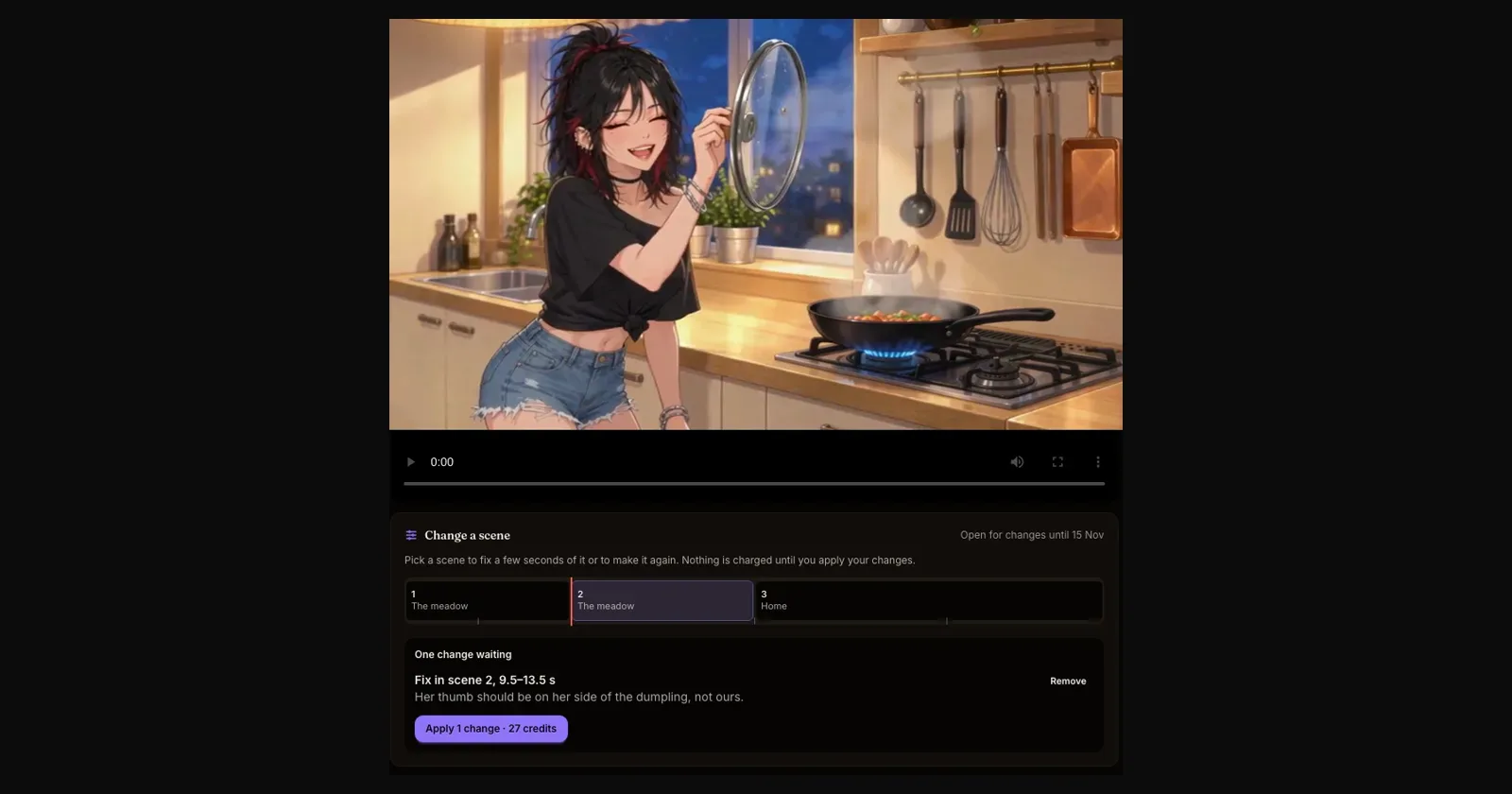
Add as many fixes as you like, then press Apply once. You see the price before anything starts, and changes that can't be made cost nothing. Your voices, music, sound effects and subtitles stay, so the timing of every line holds.
Every round of changes becomes a new version. If you liked an earlier one better, choose Go back to version 1 (or whichever you prefer) at any time, for free. An episode can be changed for four weeks after it was made, and each round of changes starts those four weeks again.
Common mistakes
- Redoing a whole scene for a small detail. Fix a part first.
- Vague notes ("make it better"). Say exactly what should be different.
10. Share it
- Download the video, with Subtitles.
- Every finished episode also has a Vertical cut for TikTok, Instagram Reels and YouTube Shorts, framed shot by shot around whoever is speaking. You can move the frame of any shot.
- Publish straight to your own YouTube channel with Publish to YouTube, or the vertical cut with Publish to YouTube as a Short. See the YouTube guide.
- Readers can watch the episode on your series page on Inkroost.
The short version
Consistent pages in, good episode out. Cast for contrast, write lines for the ear, leave room for silence, pick a length the story can breathe in, check the plan like a director, then fix single moments instead of remaking whole scenes.
Go deeper
- The solid workflow: sheets first, angles second, pages last
- Review and rewrite your episode's script
- Squeeze a whole chapter into a short episode, or keep its best moments
- Fix a scene in your episode without making it again
- How to publish your animated episode to YouTube
- Find more voices for your animated episodes